Internship · aNexus · Singapore Polytechnic · Aug 2021 – Apr 2022
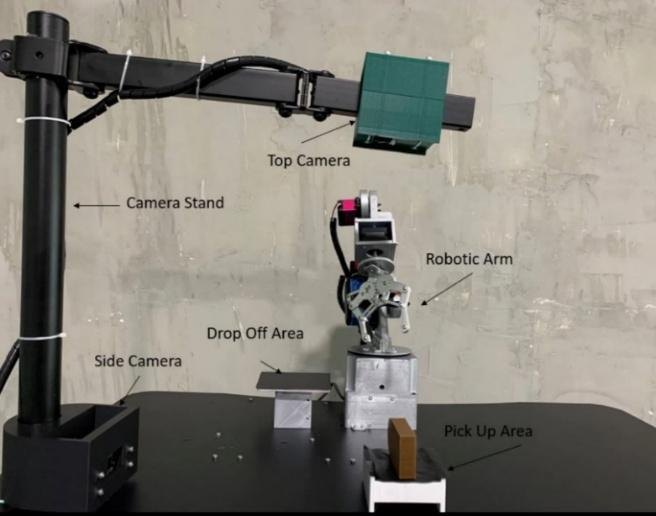
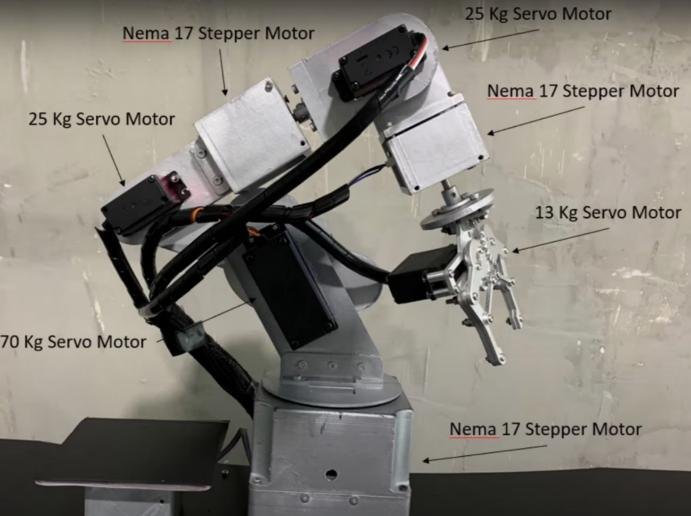
A robotic arm designed and built from scratch to pick and place objects on its own: a dual-camera Faster R-CNN detector finds the object, and the arm runs the matching movement it was taught.
The problem
Build a robotic arm system from scratch that performs autonomous pick-and-place: detect a trained object in the working area, work out where it is, and move it to the drop-off area with no human input.
How it works
The workflow has two stages.
1. Data training
The cameras record a detected object’s coordinates, and I pair them with the right motor movements using the dashboard, adjusting the movement until the object is picked up. Those calibrated movements are saved to an MSSQL database as a reference set for autonomous operation.
2. Operation
At runtime, the Faster R-CNN model identifies the object and extracts its coordinates, then matches them against the trained data. On a match, the stored movement is sent over MQTT to the ESP8266 controller. The arm picks up the object, places it, and returns home.
The detector is a Faster R-CNN Inception-V2 model pre-trained on COCO, using two cameras (side and top view). It runs in Anaconda, Node-RED handles the flow control, MSSQL stores the motion mapping, and an ESP8266 drives the motors.
Object detection
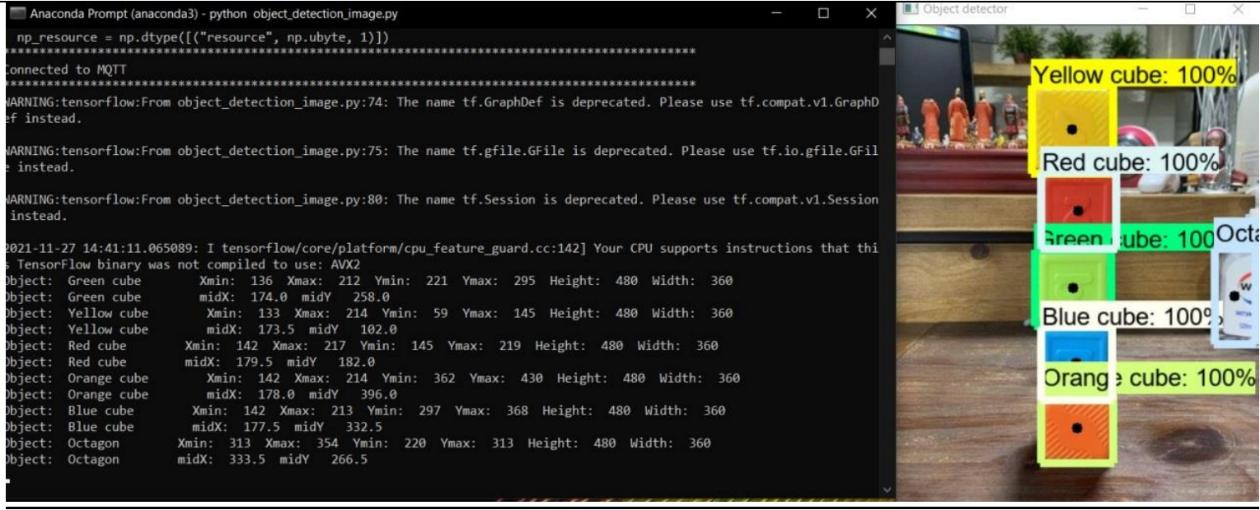
A TensorFlow-based Faster R-CNN model detects and classifies coloured geometric objects. Each detection comes with bounding-box coordinates and a confidence score, shown on a real-time video feed.
The dashboard
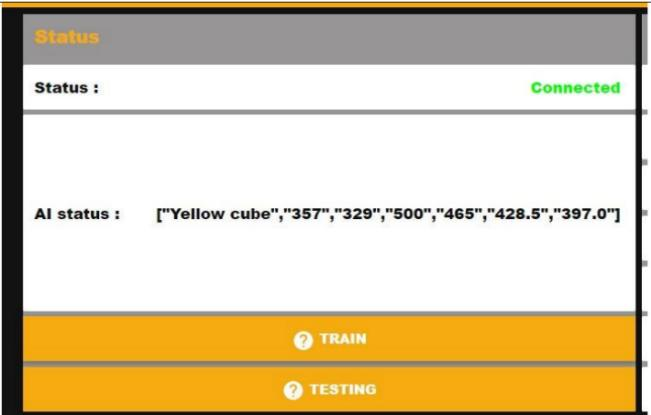
The detection data is sent to a Node-RED dashboard over MQTT. Its AI status section confirms a successful detection, so live object tracking can be monitored. Each control panel gives directional input and real-time position updates for one motor, and the motor commands and positions are stored in a SQL Server database.
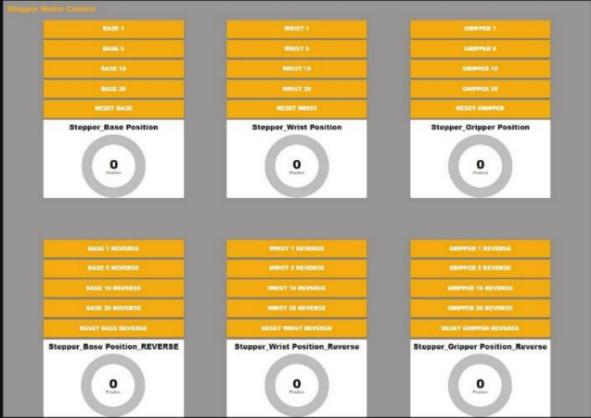
This stored dataset is what makes pick-and-place by object position possible:

What I did
- CAD design: developed and iteratively refined the arm’s mechanical structure, working through the tolerance challenges of FDM 3D printing.
- Software integration: explored and configured Arduino, MQTT, Node-RED and Faster R-CNN to build the detection and control logic.
- The Node-RED dashboard and mapping logic that link detected coordinates to stored motor movements.
The result
The final workflow shows a complete automation loop, from object detection to autonomous actuation. The project aimed for full 6-DOF manipulation and achieved a working 3-DOF system.
The full automatic cycle: detect, pick, place and return home (58 s, no sound). Interested in more? Watch the full 3-minute project video ↗
What I took away
Falling short of 6-DOF taught me core engineering principles such as motor selection and torque requirements, which I later studied in depth during my degree.
Credits
The object detection was set up following EdjeElectronics’ tutorial on training a TensorFlow Object Detection API classifier for multiple objects on Windows 10: TensorFlow-Object-Detection-API-Tutorial-Train-Multiple-Objects-Windows-10.